SorvaSorva
ProductFeaturesHow It WorksPricingGuidesTrustTerminal loginGet started
Terminal loginGet started

Restaurant software for the moments service usually comes apart.

Sorva connects no-install menu access, staff service, kitchen work, payments and owner oversight. It is restaurant management software built to make the table, the floor and the back office easier to run together.

See how Sorva works Talk through your service flow
  1. A guest scans

    No-install menu access, ordering and live status.

  2. A request is made

    The floor gets a visible service signal.

  3. The kitchen prepares

    Tickets move through the shared order workspace.

  4. Payment is recorded

    M-Pesa workflows and payment records stay connected.

Explore Sorva's restaurant management features

Guest orderingService & kitchenPayments & recordsOwner visibility

Built around the handoffs that decide whether a shift feels controlled.

A restaurant order is never just an order. It is a table, a guest expectation, a kitchen task, a payment and a manager's view of what is happening. Sorva keeps those handoffs in one connected operating flow.

Guest ordering that starts at the table

Less waiting at the table.

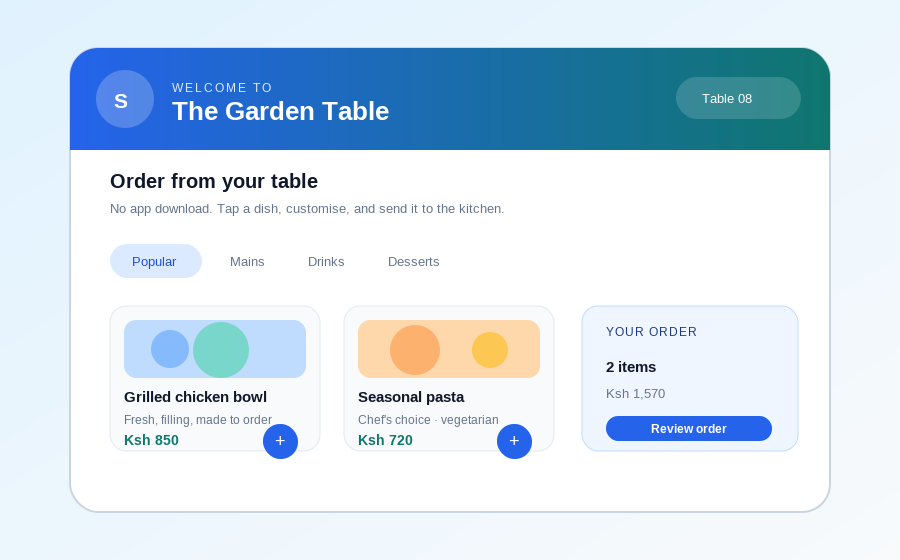
Give guests a no-install menu they can open from a table QR code or link. They can browse, add items, follow their order and pay from their phone—without waiting to catch a waiter’s attention.

  • Table-aware QR sessions that keep the order connected to the right table.
  • Digital menus with categories, item images, prices, modifiers and availability.
  • Cart, checkout and real-time order-status visibility for guests.
  • Guest feedback, reservation and profile workflows where your restaurant uses them.
Sorva guest menu shown on a phone

Service and kitchen work that stays visible

No more guessing what needs attention.

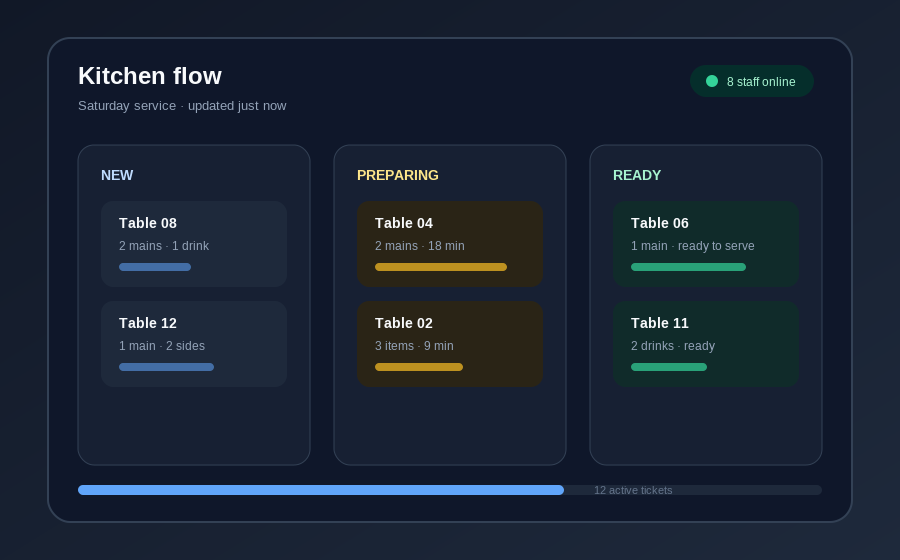
Replace shouted updates, paper chits and repeated table visits with a shared order and request flow. The floor, kitchen and manager can see the same work moving through clear statuses.

  • Live order workspace for new, in-progress, ready and completed work.
  • Kitchen tickets with table, item and modifier context together.
  • Waiter, bill and service requests that do not disappear into conversation.
  • Staff POS and waiter assignment for guests who prefer assisted service.
Sorva kitchen workspace shown on a screen

Payment records that are easier to follow

A clearer path from payment to record.

Keep the order, total, payment method, reference and status in one operational record. That gives the team a practical place to check what still needs attention before handover or reconciliation.

  • M-Pesa payment workflows and payment verification support.
  • Sales and payment records for reviewing service activity.
  • Order and payment history for shift handover and follow-up.
  • eTIMS configuration and export workflows for Kenyan restaurant operations.
Sorva guest menu shown on a phone

Owner visibility without standing on the floor

See the restaurant while it is running.

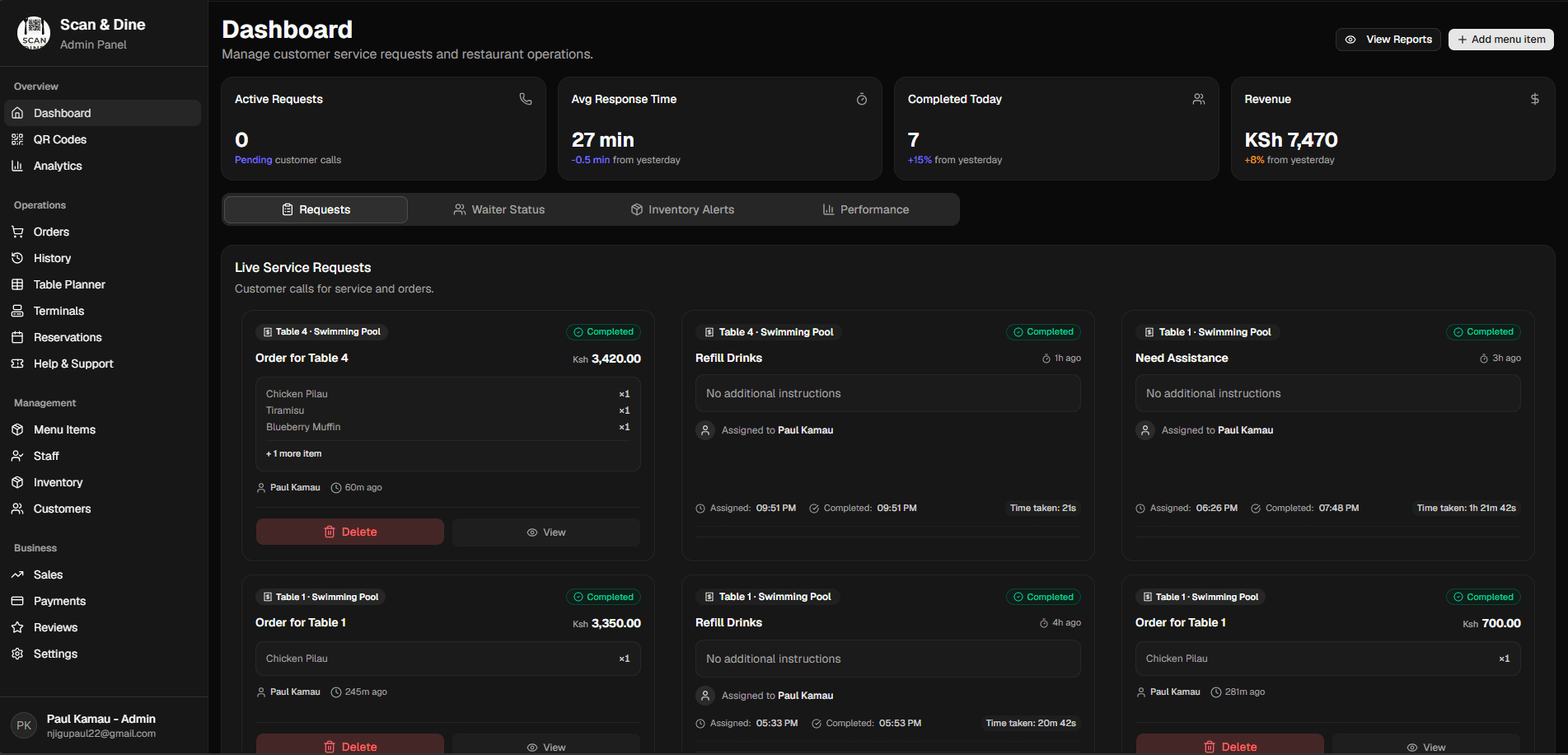
Sorva gives owners and managers a live view of the restaurant in operation. From a phone or dashboard, they can follow orders, requests, payments and the configuration that keeps service moving.

  • Operational dashboards for orders, requests, sales and payment activity.
  • Menu availability, restaurant floors, tables and QR code management.
  • Staff roles, access controls and terminal management.
  • Reservations, inventory, customers, reviews and analytics workspaces.
Sorva dashboard with restaurant operations information

The operating system behind the visible service flow.

Beyond the guest journey, Sorva gives restaurant teams the practical workspaces needed to keep their service model current—from menu setup to staff access and end-of-shift review.

Sorva restaurant operations dashboard

Menu and floor setup

Build categories, dishes, prices, modifiers and availability; organise floors, tables and table QR codes around how the restaurant actually operates.

Team and terminal control

Assign role-based staff access, manage terminals and give each part of the team the tools relevant to its service responsibilities.

Reservations, guests and feedback

Keep reservation workflows, guest profiles, loyalty and feedback closer to the operation instead of split across separate tools.

Inventory and operational review

Use inventory, customer, review, sales, payment and analytics workspaces to review what happened and decide what needs attention next.

Kenya-first restaurant operations

Bring M-Pesa payment workflows, eTIMS configuration and exports into the operating picture you manage with your restaurant team.

Restaurant software questions, answered plainly.

The details matter when your service depends on them. These answers explain how the major Sorva workflows fit together.

Do guests need to install an app to use Sorva?

No. Sorva provides no-install menu access through a table QR code or link. Guests can browse the menu, follow their order and use the restaurant’s available payment flow from their phone.

Can a restaurant use both QR ordering and waiter service?

Yes. Sorva supports table QR ordering alongside staff-assisted service. A waiter can use the POS for guests who want help, order at the counter or need an order updated.

How does Sorva help the kitchen and floor stay coordinated?

Orders, kitchen tickets and service requests are managed in shared workspaces with visible statuses. This keeps table, item and request context available to the people completing the work.

Does Sorva support M-Pesa restaurant payments?

Sorva includes M-Pesa payment workflows and payment verification support, alongside sales and payment records. The specific payment setup is confirmed during restaurant onboarding.

Is Sorva designed for restaurant operations in Kenya?

Yes. Sorva is built in Nairobi for hospitality teams in Kenya, with M-Pesa workflows and eTIMS configuration and export features among the operations it supports.

What can an owner or manager see in Sorva?

Owners and managers can use operational dashboards and workspaces to follow orders, service requests, sales, payment activity, menu availability, staff access and restaurant setup.

Start with the service problem you need to solve first.

Whether the gap is ordering, the kitchen handoff, payments or owner visibility, Sorva can be explored around the way your restaurant serves today.

Talk to Sorva
Sorva

Restaurant operations software built for Africa.

[email protected]

Nairobi, Kenya

A solution by Appster Solutions Ltd. Product, pricing, integration, and compliance status are confirmed during onboarding.

product

  • Restaurant POS in Kenya
  • Bar POS in Kenya
  • QR Code Menus
  • Product
  • Features
  • How It Works
  • Pricing
  • Restaurant operations guides

support

  • Help Centre
  • Trust Centre
  • Status
  • Contact

company

  • About Sorva
  • Appster
  • Privacy
  • Terms

© 2026 Sorva. All rights reserved.

Built in Nairobi for the teams who keep service moving.