Bar POS System in Kenya
Bars and restaurants in Kenya often serve drinks at the counter and food at tables during the same shift. Sorva brings staff orders, a digital drinks menu, service requests and payment status into one workspace, so your team can keep track of what each table needs.
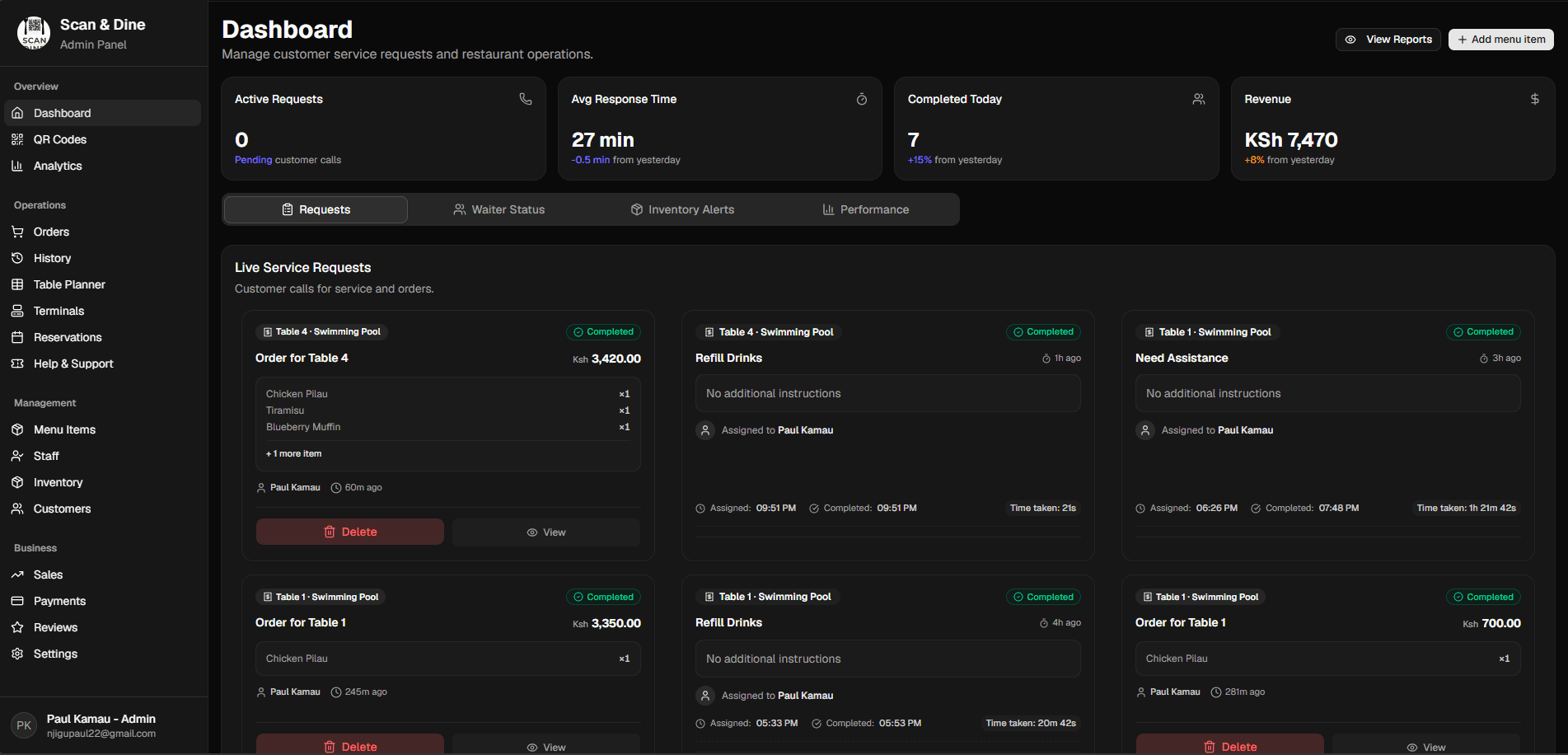
Keep bar orders and table service in the same view.
A service flow for drinks, food and table requests
Organize the menu your team actually sells
Manage drinks and food in categories with prices, descriptions, add-ons and availability. Keep the guest menu aligned with what staff can serve, including items that have become unavailable during the shift.
Connect counter service and seated guests
Staff can capture assisted orders through the POS. Seated guests can use a table QR menu or request help from a waiter. Table context helps your team distinguish an order from a service request.
Make the handover easier to follow
Review order history, staff activity and payment status when a manager takes over. Inventory information adds context to menu availability; confirm the stock workflow you need during your demonstration.
Bring your bar's busiest service scenario to the demo
- Test a table ordering drinks first and adding food later, using your real service process.
- Check how waiters, counter staff and managers see requests and order status.
- Confirm support for any open tabs, split bills or receipt printers you require before choosing a rollout.
- Review how drink stock is tracked; ask about bottle, serving and recipe-level needs explicitly.
- Agree on payment confirmation, staff access and connectivity requirements before live service.
Sorva is onboarding early restaurant partners. Review payments, access and reliability with the team before committing to live service.
Questions before you get started
Can I use Sorva for a bar that also serves food?
Sorva's menu, staff POS, table requests and kitchen workflows can be evaluated together for a bar and restaurant. A guided demo should use your actual drinks and food service process.
Does every customer need a phone?
No. A member of staff can enter the order through the POS. QR ordering is an additional way to serve guests, not a requirement for every customer.
Are tabs and split bills included?
Confirm these requirements with the team during your demo. This page does not promise specialist bar features that have not been confirmed for your rollout. Bring a sample tab and settlement scenario so the team can show the current behavior.