The restaurant OS built for Africa.
Sorva brings your guest menu, staff, POS, kitchen, payments, inventory, and reporting into one calm workspace—so your team spends less time chasing orders and more time serving people.
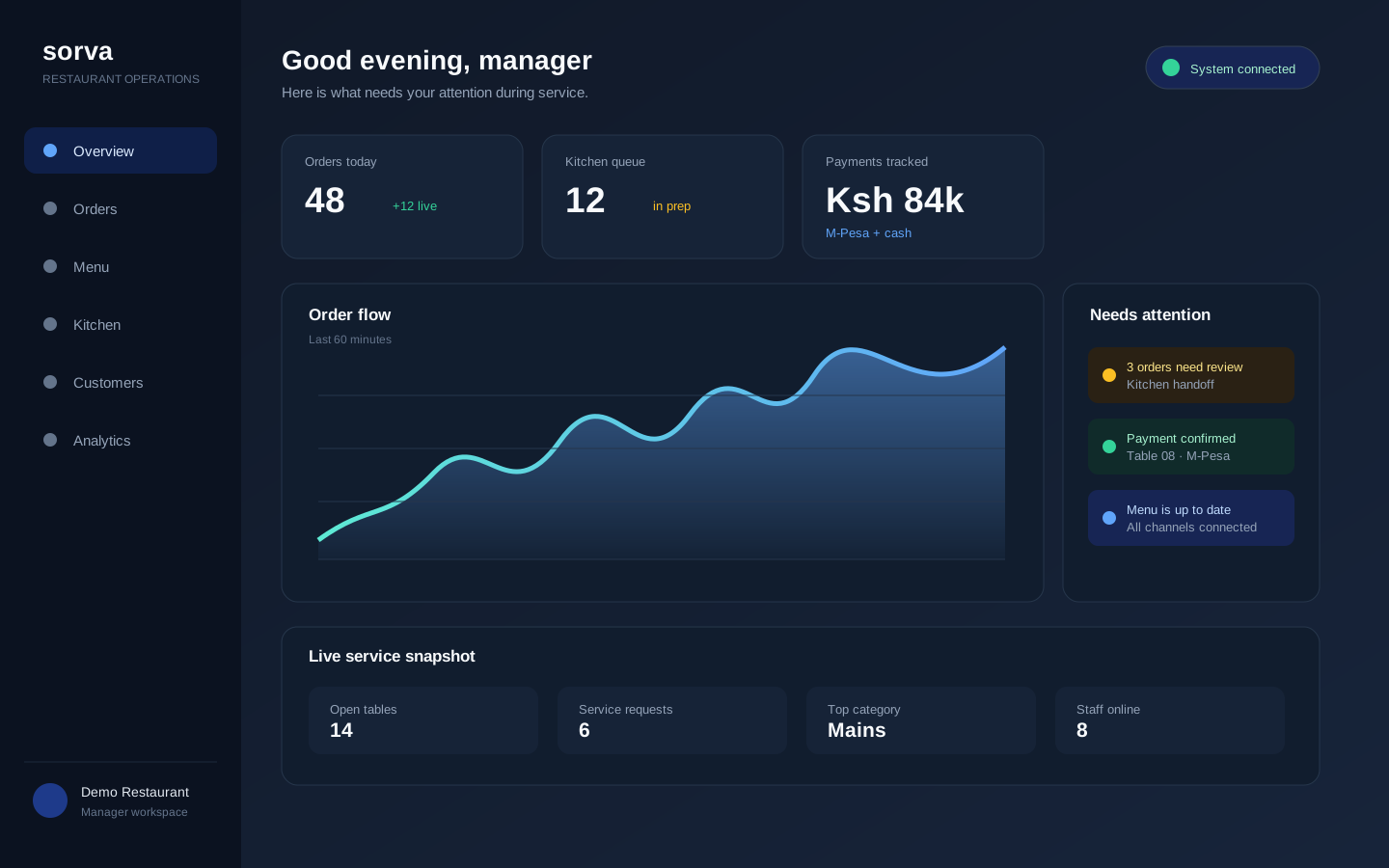
One order, one flow
From scan to kitchen to payment to manager insight.
Built for local reality
M-Pesa, mobile-first workflows, staff-assisted service, and connectivity-aware design.
Transparent from day one
Clear product status, pricing conversations, and documentation for serious operators.
One connected experience
The right view for every person on shift
Show the guest what to order, the kitchen what to prepare, and the manager what needs attention next.
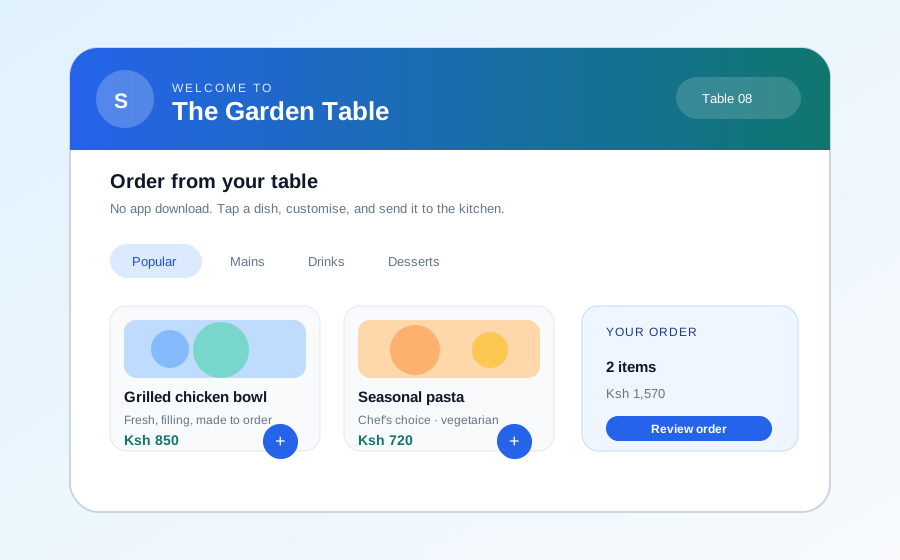
For guests
A menu that gets out of the way
A fast, app-free ordering path that keeps the table context attached to every request.
For owners and managers
A clearer view of the whole room
See the operational picture—orders, requests, payments, stock, and team activity—from one dashboard.
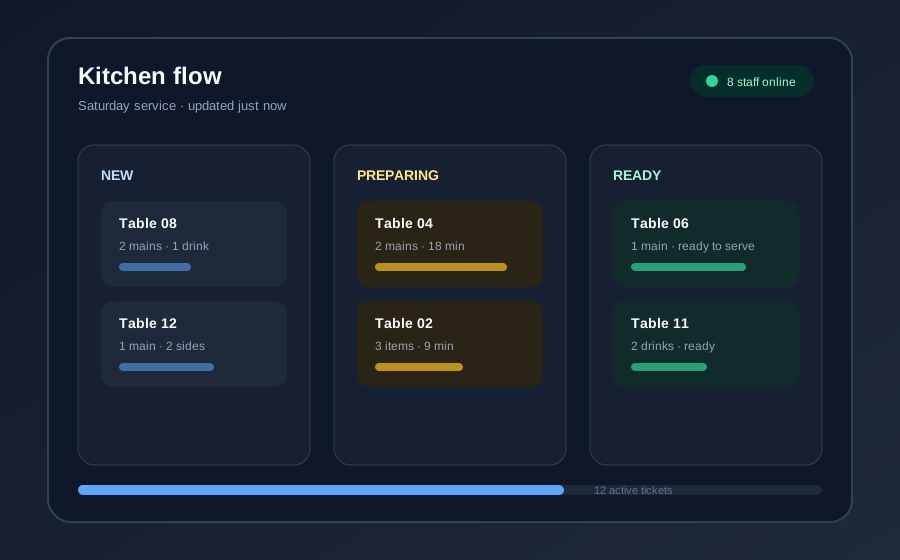
For the team
Clear work from order to handoff
Keep kitchen tickets, service requests, and payment status visible without chasing conversations.
One connected operation
A better handoff at every step of service
Sorva turns the gaps between guest, waiter, kitchen, payment, and manager into one visible, seamless workflow.
Guest scans
A fast menu opens instantly without an app download.
Order is clear
Modifiers, table context, and availability travel with the order.
Kitchen responds
The team sees exactly what to prepare and what is ready.
Manager learns
Live operational context helps the next decision.
The product
Everything your team needs between open and close
From the first menu update to the final payment check, Sorva keeps each role focused while the whole restaurant stays connected.
QR menus and ordering
Give guests a fast, app-free path from table scan to order while preserving the table context your team needs.
POS for staff-assisted service
Let waiters create and update orders from the POS when a guest prefers help, orders at the counter, or needs a quick change.
Staff and access management
Create team accounts, assign the right roles, and keep owners, managers, waiters, and terminals focused on the work they are responsible for.
Kitchen and service coordination
Move orders and service requests through clear statuses so the kitchen, floor, and manager see what needs attention next.
Local payments and reconciliation
Keep M-Pesa-ready payment workflows, order totals, references, and payment status together for easier shift handover.
Menus, modifiers, and availability
Manage categories, dishes, prices, add-ons, images, and unavailable items without rebuilding the guest experience.
Inventory awareness
Track stock pressure and connect menu availability to what your kitchen can actually serve today.
History and operational insight
Review orders, requests, payments, staff activity, and shift history so decisions are based on what really happened.
Resilient terminal workflows
Keep the essential terminal context close to the team and understand what can continue when connectivity becomes unreliable.
Built in Nairobi
Trust is part of the product.
Restaurant software touches money, staff, customer information, and the moments when service is under pressure. Sorva is building the documentation and operational discipline to earn that trust.
Explore trust and reliabilityPrivacy and access
Understand what data is collected, who can see it, and what happens when you leave.
Payments
See how confirmation, reconciliation, refunds, and provider status are handled.
Resilience
Know what continues during a connection interruption and how synchronization works.
Compliance
See the current eTIMS status and the workflow for fiscalized orders.
Founding partner programme
Help shape the operating system your restaurant actually needs.
We are onboarding a small group of early restaurants for guided setup, honest feedback, and a clear path from first test order to daily operation.
Questions operators ask
Clear answers before you commit
If a product handles your revenue and service flow, you should not need a sales call to understand the basics.
What happens when the internet goes down?+
Sorva is designed around resilient workflows. We document exactly which actions can continue offline, how changes are queued, and how synchronization behaves when the connection returns.
Does Sorva replace my waiters?+
No. Guests can order themselves, or staff can create the order for them. Sorva gives your team another service path; it does not remove hospitality from the experience.
How do payments and eTIMS work?+
We publish the current status of every integration and the operational flow for payment confirmation, reconciliation, refunds, and fiscalization. Ask us for the latest provider-specific details before onboarding.
What does the evaluation period include?+
A 14-day evaluation period. Upload a menu, generate table QR codes, run a test order, and decide whether a guided rollout is right for your team.
See your restaurant running on Sorva.
Start with a menu, a test order, and a conversation about what your team needs next.